How to find the correct UPC/barcode for your products
The most reliable approach is to start from the physical product, the supplier invoice, or the official catalog, then validate the code before import. Here's the method for completing a catalog without inventing barcodes.
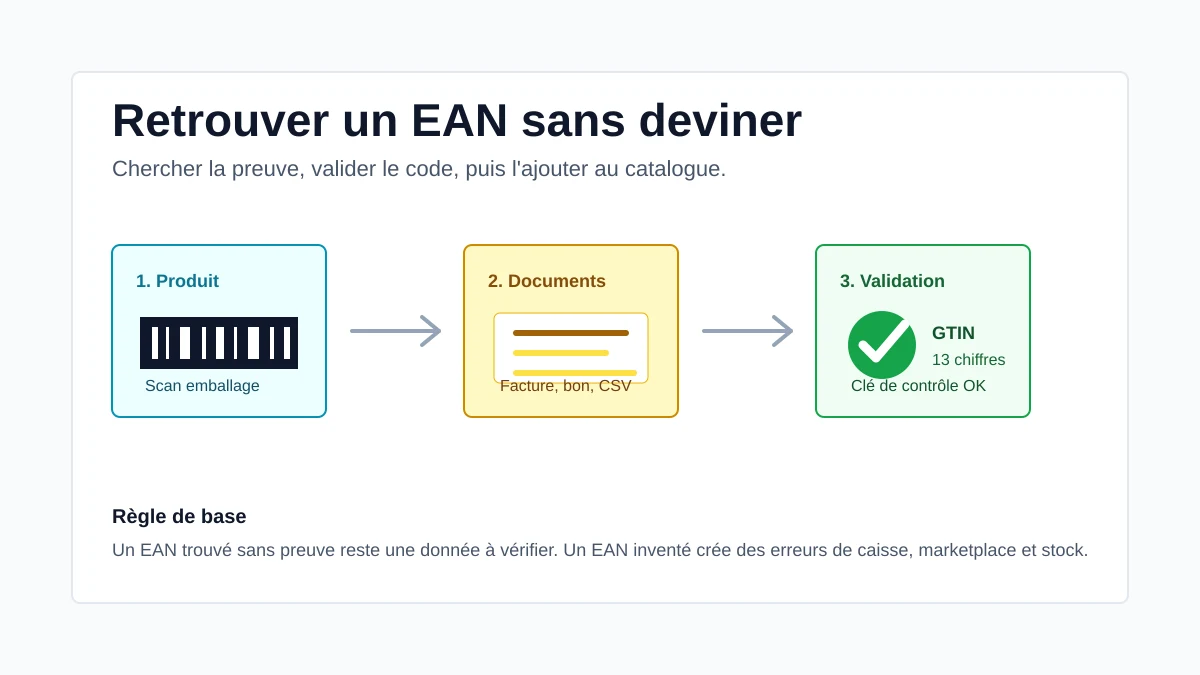
If you need to fill in gaps in a Square, Shopify, or Google Merchant Center catalog, don't start by googling at random. A mismatched barcode can create duplicates, block a marketplace listing, or throw off an inventory sync.
In current terminology, the product identifier is properly called a GTIN. In North America, retailers usually call the 12-digit version a UPC, while much of the rest of the world uses the 13-digit EAN. In practice, merchants are simply looking for the number printed underneath the barcode.
What a barcode actually identifies
A barcode identifies one specific commercial listing: brand, model, format, color, size, or packaging. Two variants sold separately — a black T-shirt in size M and L, an 180g and a 500g candle — need different codes.
The most reliable way to find a barcode
Save time: start from the supplier's product page
Paste a product page URL: the tool pulls the published data from the page and prepares an export for Shopify, PrestaShop, WooCommerce, or JSON.
Build a listing from a URL →Just need the barcode? Use the free barcode lookup tool: paste the product URL and get its UPC/EAN/GTIN, brand, and name.
Work in order of reliability: the physical product first (barcode on the packaging, cardboard or sewn-in tag), then supplier documents (invoice, packing slip, PDF catalog — UPC/EAN/GTIN columns), and web search only to cross-check. If the code you find doesn't match the exact variant, leave the field blank rather than import a questionable value.
Validating a barcode before import
| Check | Action |
|---|---|
| Format | Keep digits only — 12 for a UPC-A, 13 for an EAN-13. |
| Variant | Check size, color, volume, lot, and packaging. |
| Source | Keep a photo, a supplier line item, or an official link. |
No barcode, large catalog: what to do
Some products have no printed code (handmade goods, small-batch runs, refurbished items). Never reuse the barcode from a similar product, and don't generate a random string of digits just to force an import through — the code may already belong to another product.
At 200 or 2,000 SKUs, treat barcode recovery as a proper data project: export your current catalog, group by supplier, tag a confidence level for each code (scanned, invoice, cross-checked web source, unknown), and handle active products first — the ones feeding Google Merchant Center or a marketplace. In Refect, this work can be sped up directly from an invoice: the tool extracts the line items and lets you validate before syncing.
FAQ
Are EAN and GTIN the same thing?
In everyday use, essentially yes. GTIN is the current, broader umbrella term. EAN is still commonly used to refer to the 13-digit code printed under an EAN-13 barcode, mostly outside North America.
Do you need a barcode to sell on Shopify or Square?
Not always for an in-store-only sale, but it's strongly recommended for scanning, clean imports, Google Merchant Center, and syncing between tools.
Can I use the same barcode for several sizes?
No, not if those sizes are sold as separate variants. Every commercial variant needs to be unambiguously distinguishable.
Need to fill in your barcodes faster?
Import a supplier invoice into Refect, pull out the product references, enrich the missing fields, and validate everything before it publishes to your catalog.
See a demo